10 Minute School
10 Minute School
10 Minute School
Teacher Studio
Teacher Studio
Teacher Studio
From “Going Live” to Actually Teaching Live
From “Going Live” to Actually Teaching Live
From “Going Live” to Actually Teaching Live
Before Teacher Studio, live classes at 10 Minute School were hosted through tools like Zoom and Facebook Live. They helped us broadcast classes, but they were never designed for the reality of high-scale online teaching. Teachers had to manage the class, follow student questions, run interactions, coordinate with the team, and keep the session moving - all while switching between scattered tools.
Before Teacher Studio, live classes at 10 Minute School were hosted through tools like Zoom and Facebook Live. They helped us broadcast classes, but they were never designed for the reality of high-scale online teaching. Teachers had to manage the class, follow student questions, run interactions, coordinate with the team, and keep the session moving - all while switching between scattered tools.
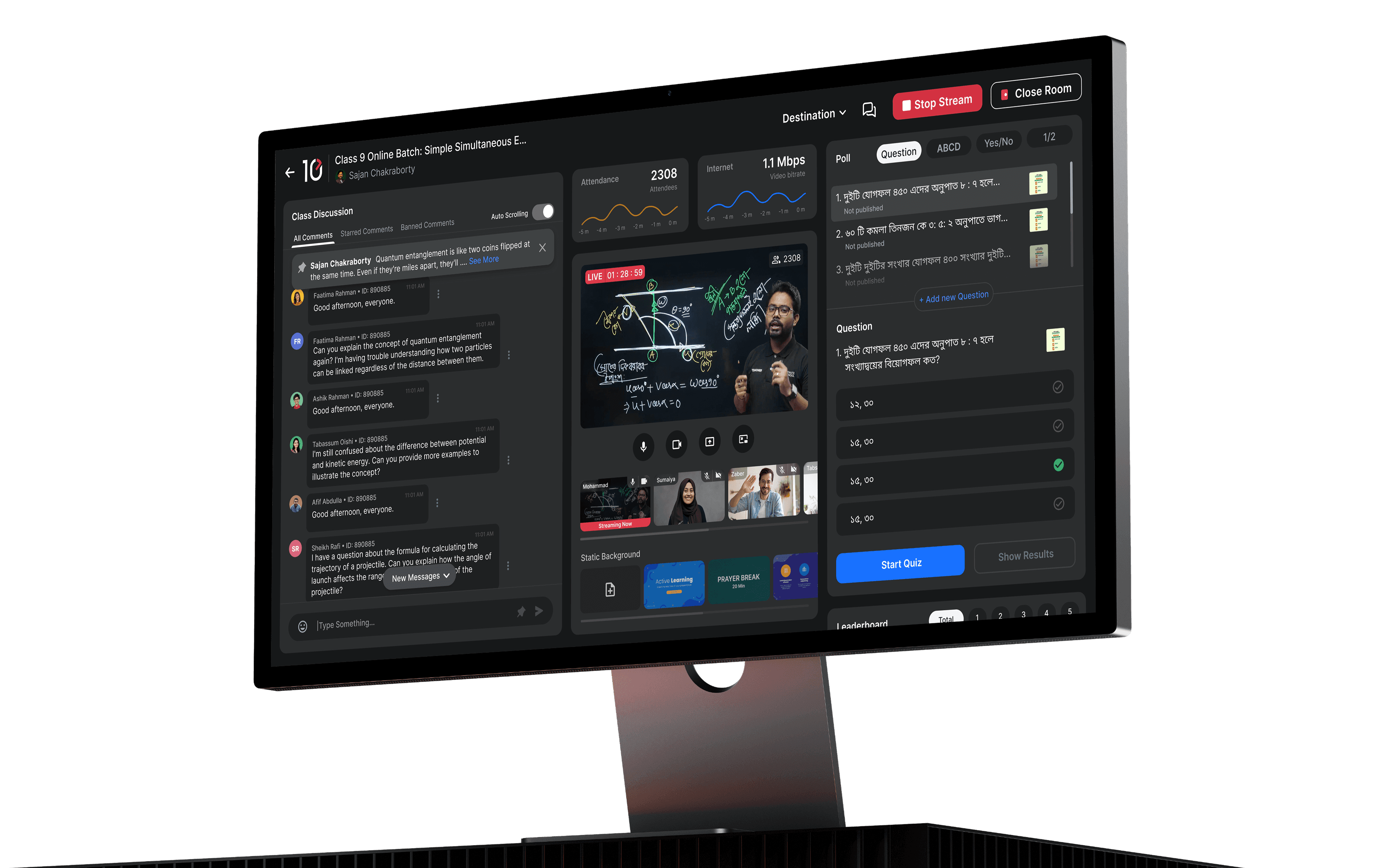
So we built Teacher Studio: a dedicated live-class command center that gives teachers everything they need to run interactive, controlled, and engaging live classes from one place.
So we built Teacher Studio: a dedicated live-class command center that gives teachers everything they need to run interactive, controlled, and engaging live classes from one place.
Company
Company
10 Minute School
10 Minute School
Product
Product
Teacher Studio
Teacher Studio
Platform
Platform
Web App
Web App
Timeline
Timeline
March 2023 – June 2023
March 2023 – June 2023
My role
My role
Product Designer
Product Designer
The Problem
The Problem
The Problem
We had live classes, but not a live-class product.
We had live classes, but not a live-class product.
We had live classes, but not a live-class product.
Zoom and Facebook Live helped us broadcast. But our teachers needed more than a stream.
Zoom and Facebook Live helped us broadcast. But our teachers needed more than a stream.
They needed to see who was attending, follow student questions, launch quick polls, check understanding, manage the class, and stay focused while teaching.
They needed to see who was attending, follow student questions, launch quick polls, check understanding, manage the class, and stay focused while teaching.
The old workflow was scattered, manual, and hard to scale.
The old workflow was scattered, manual, and hard to scale.
The real problem...
The real problem...
Teachers were live, but they were not fully in control.
Teachers were live, but they were not fully in control.
The Goal
The Goal
The Goal
Build one workspace for the entire live-class flow.
Build one workspace for the entire live-class flow.
Build one workspace for the entire live-class flow.
The goal was not to copy Zoom. The goal was to build a better classroom.
The goal was not to copy Zoom. The goal was to build a better classroom.
Start classes faster.
Start classes faster.
Track attendance and stream status.
Track attendance and stream status.
Follow student discussions.
Follow student discussions.
Run Polls, Quizes during class.
Run Polls, Quizes during class.
Show recorded classes inside the learning app after the live session.
Show recorded classes inside the learning app after the live session.
Notify students when they miss a class.
Notify students when they miss a class.
Enable homework submission after class.
Enable homework submission after class.
Reduce dependency on third-party tools.
Reduce dependency on third-party tools.
The Solution
The Solution
The Solution
Instead of jumping between tools, teachers can run the full class from one focused interface.
Instead of jumping between tools, teachers can run the full class from one focused interface.
Instead of jumping between tools, teachers can run the full class from one focused interface.
Less tool management. More teaching.
Less tool management. More teaching.
Key Experience 01
Key Experience 01
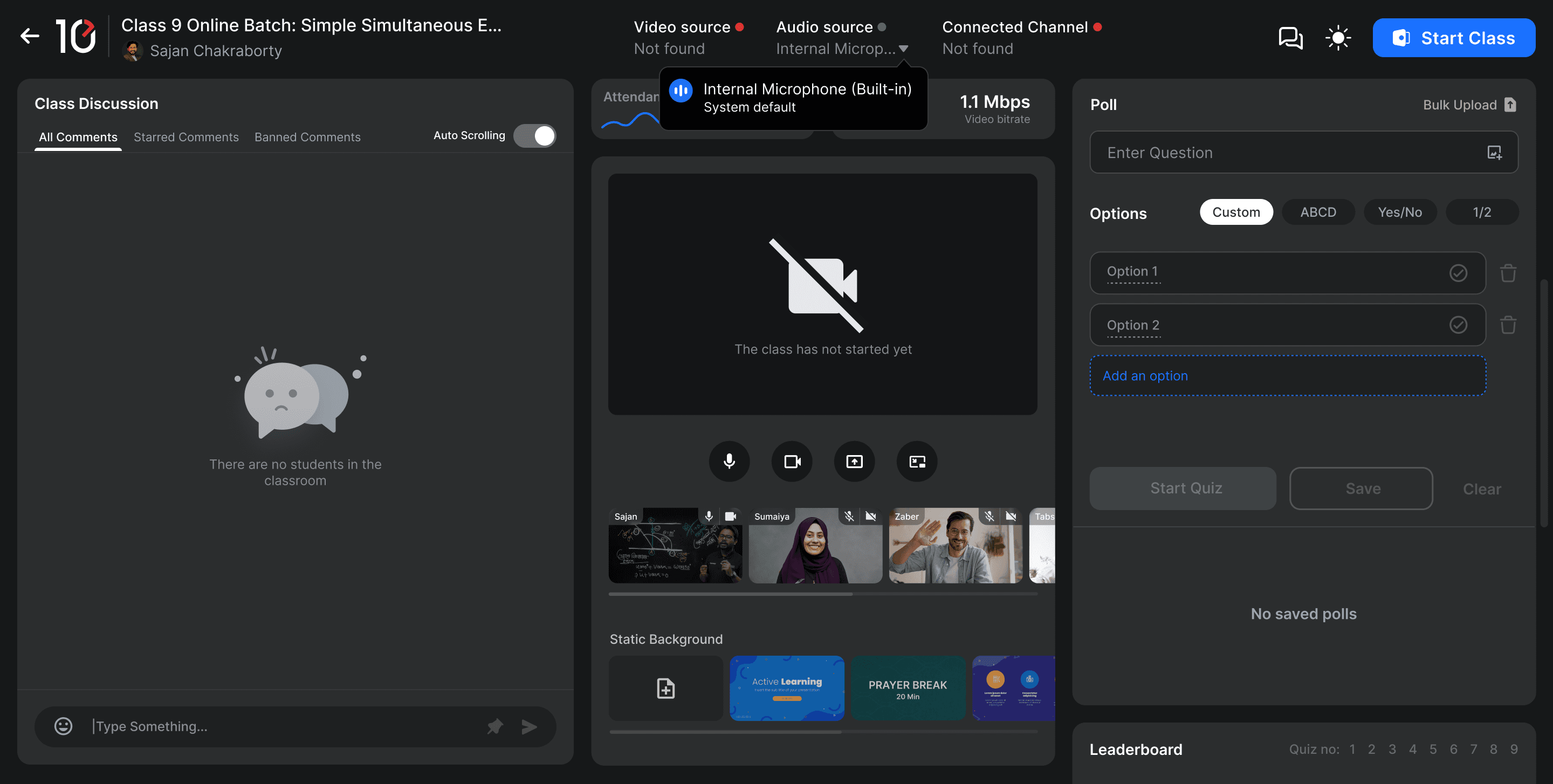
Start class with confidence
Start class with confidence
Start class with confidence
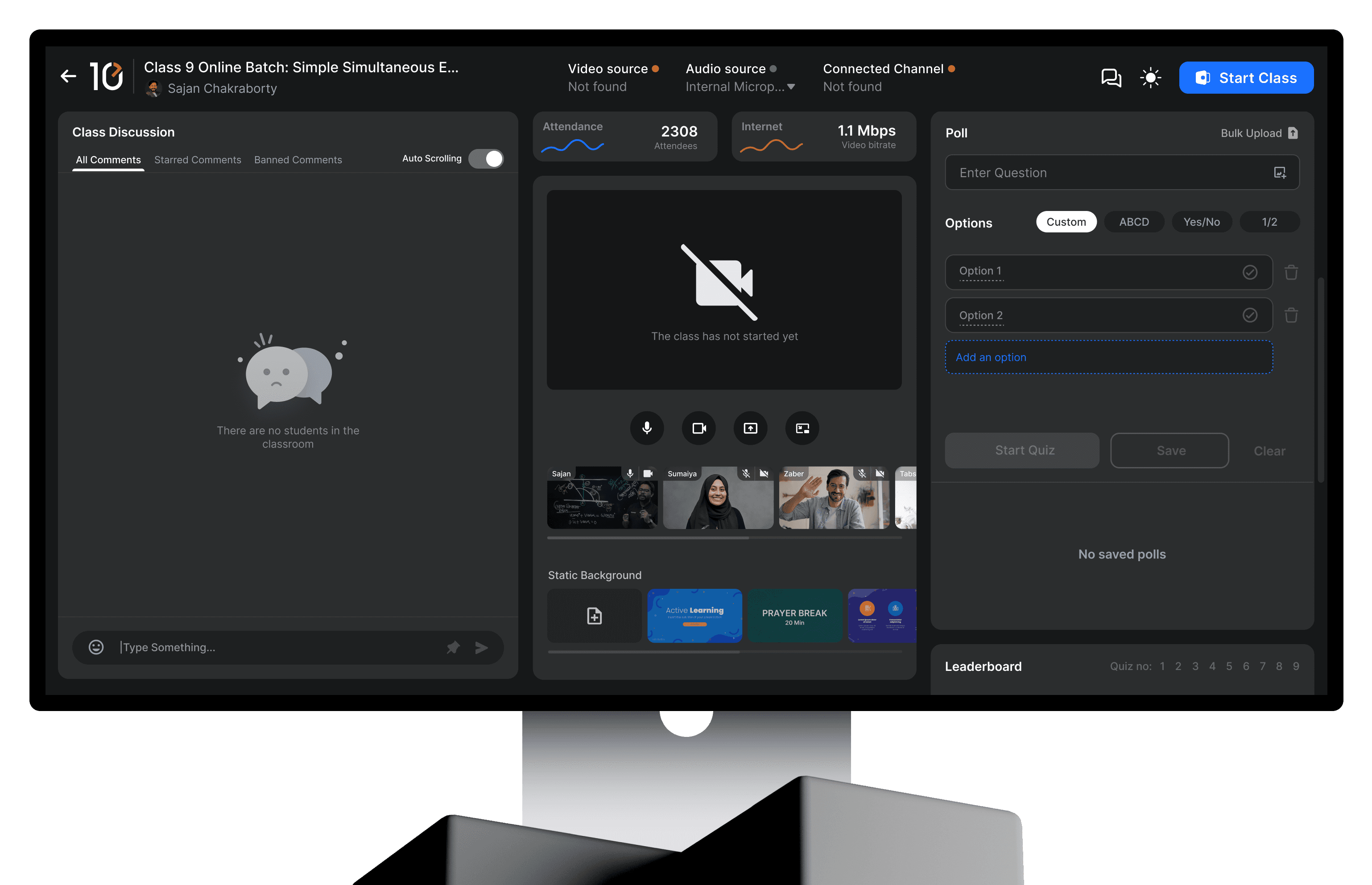
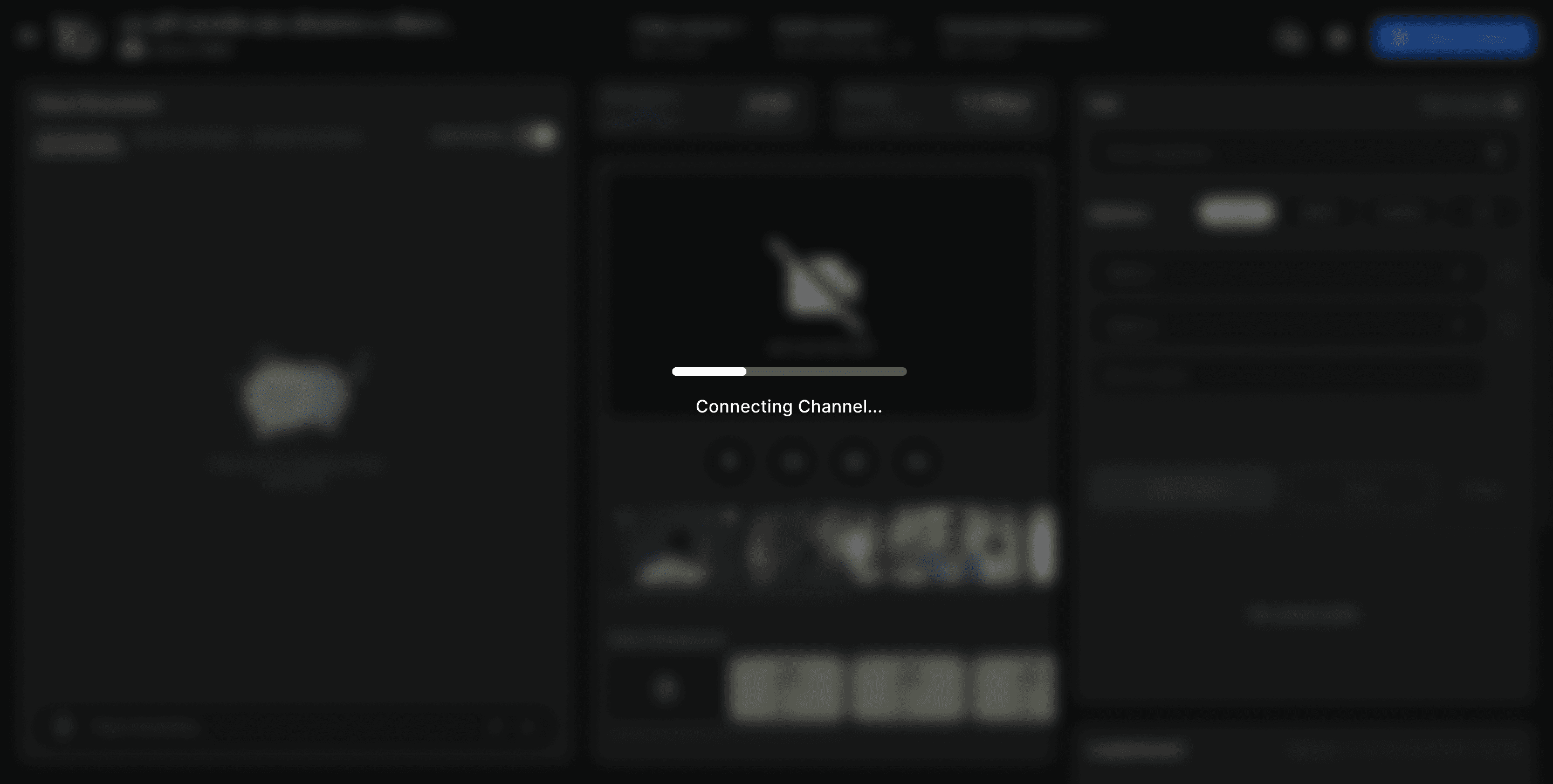
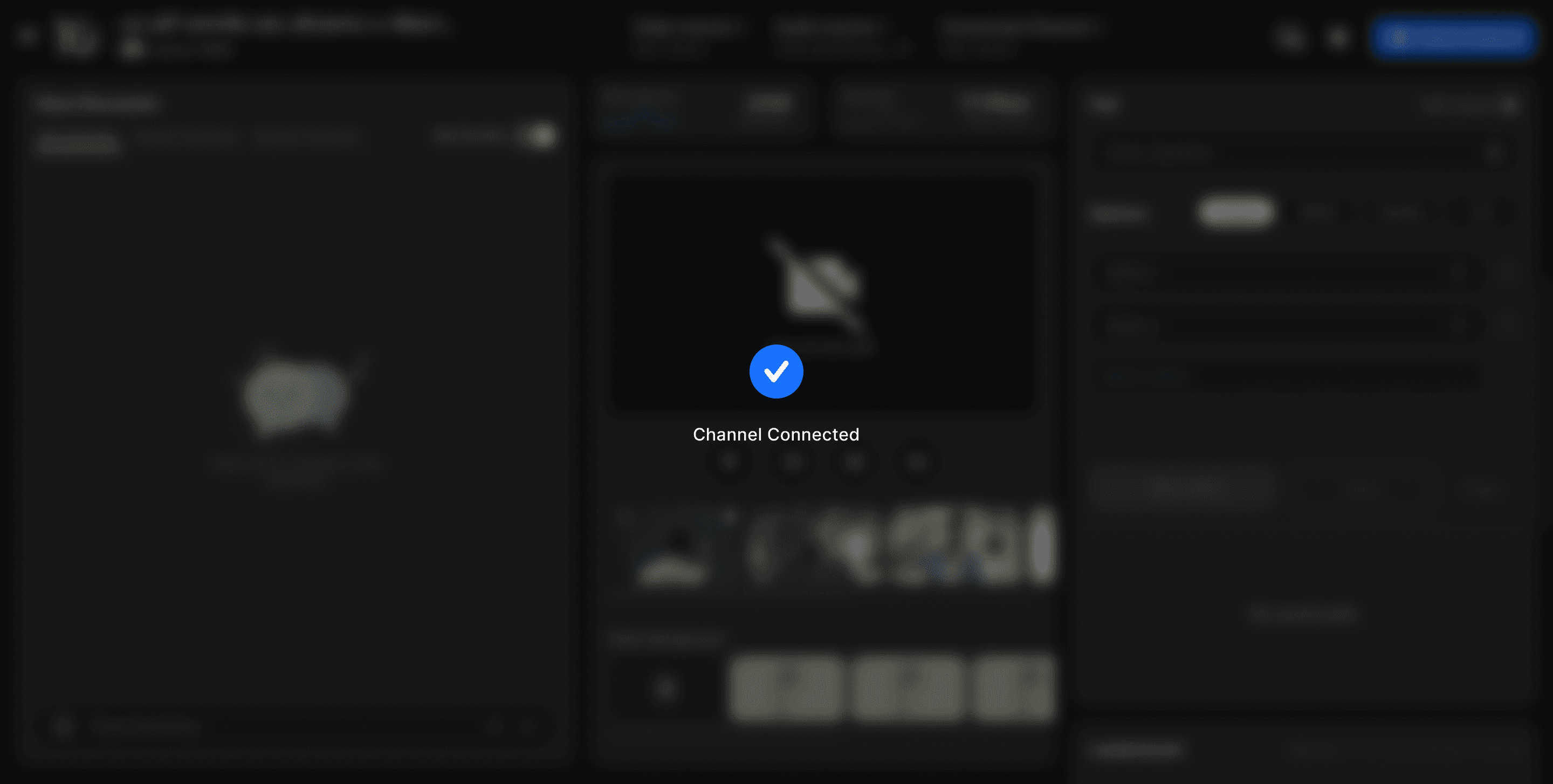
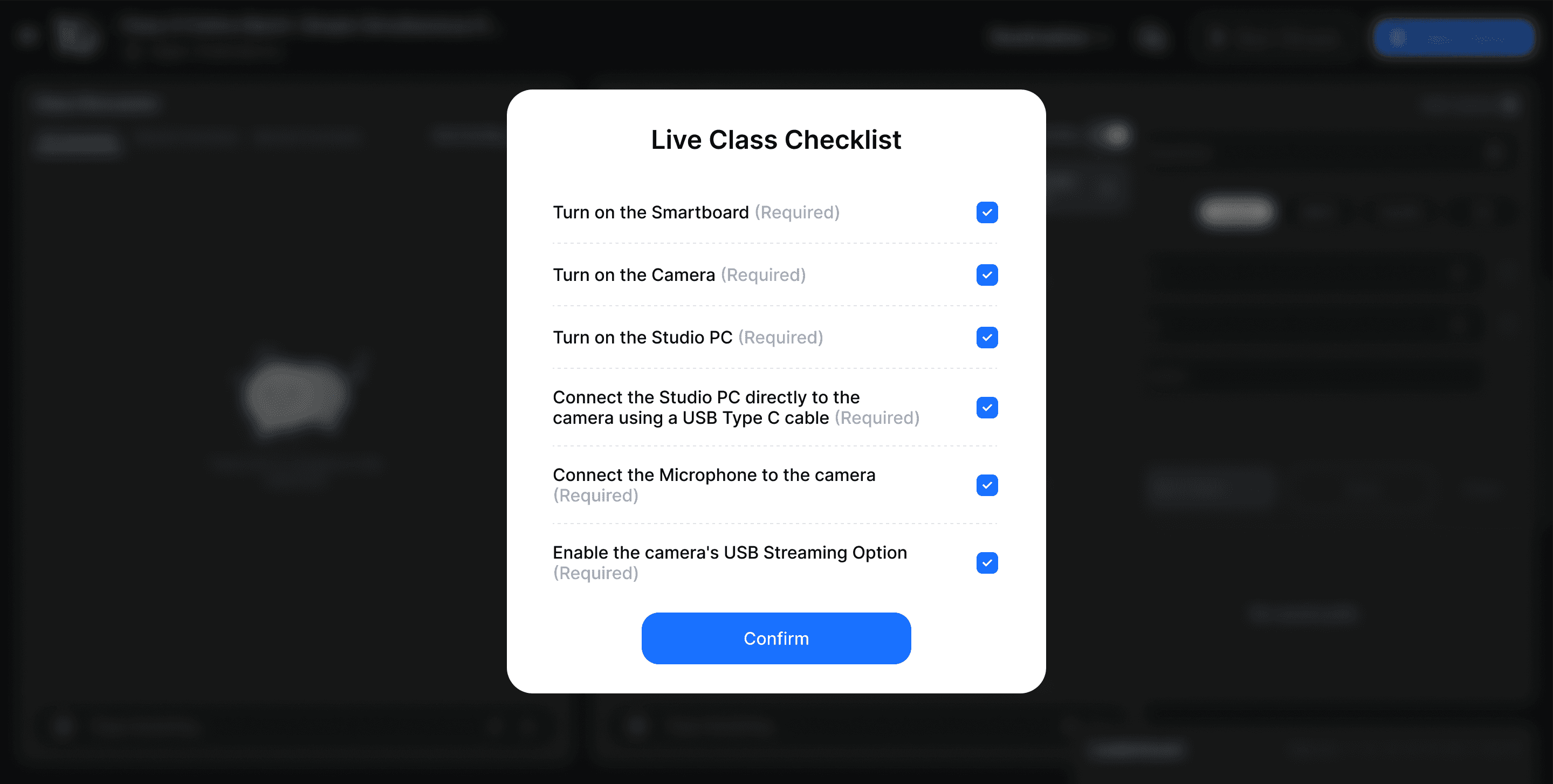
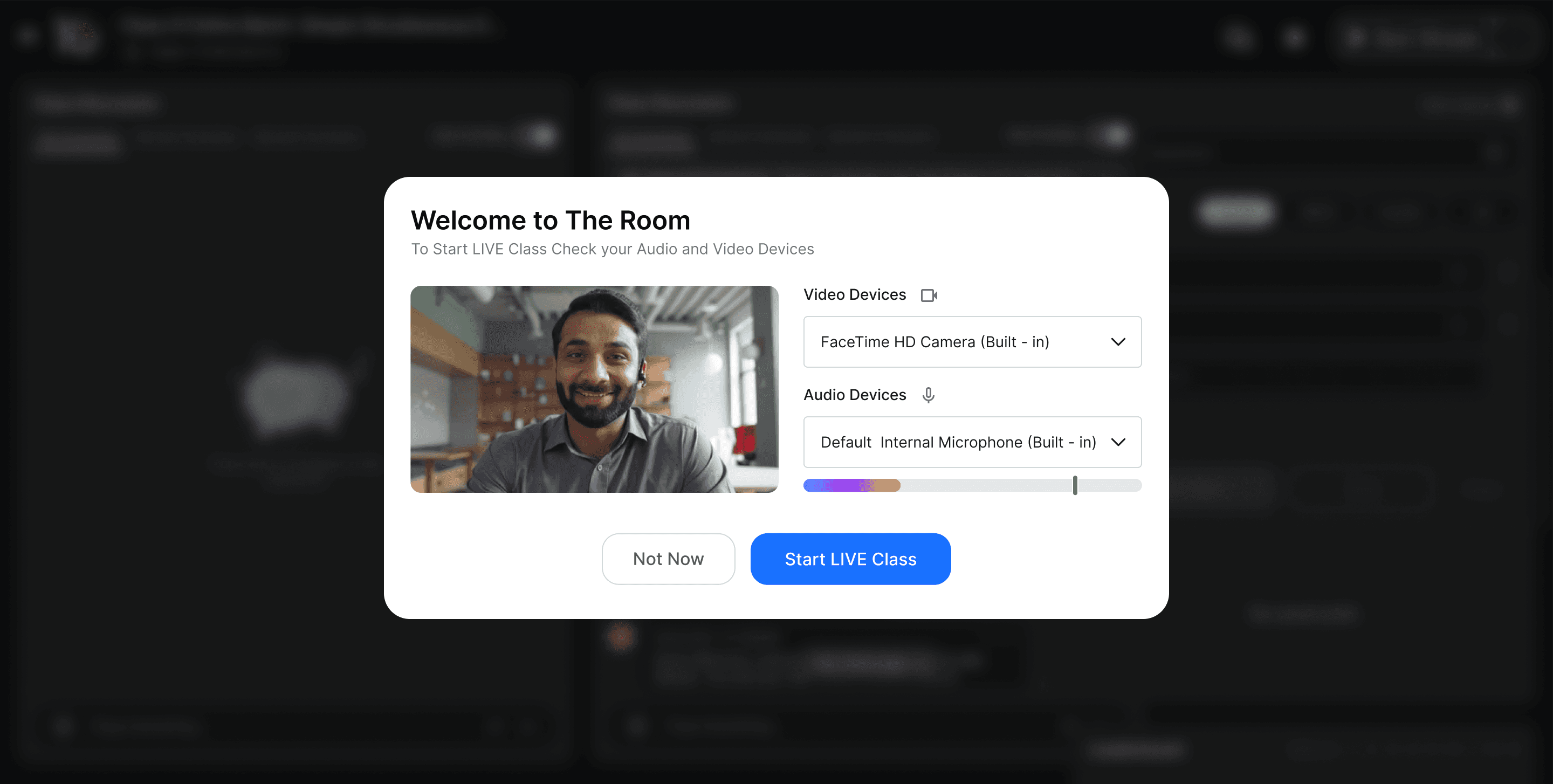
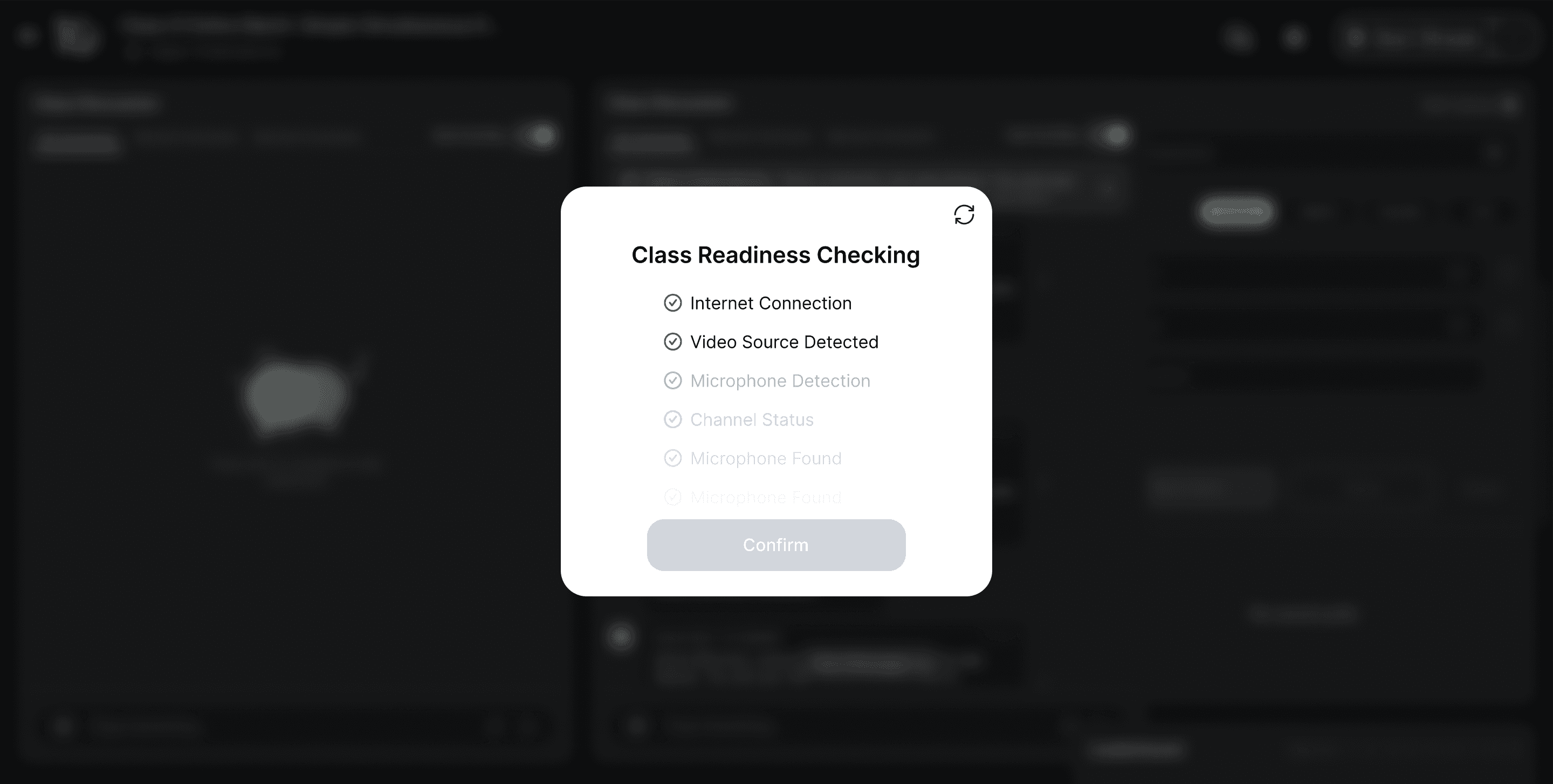
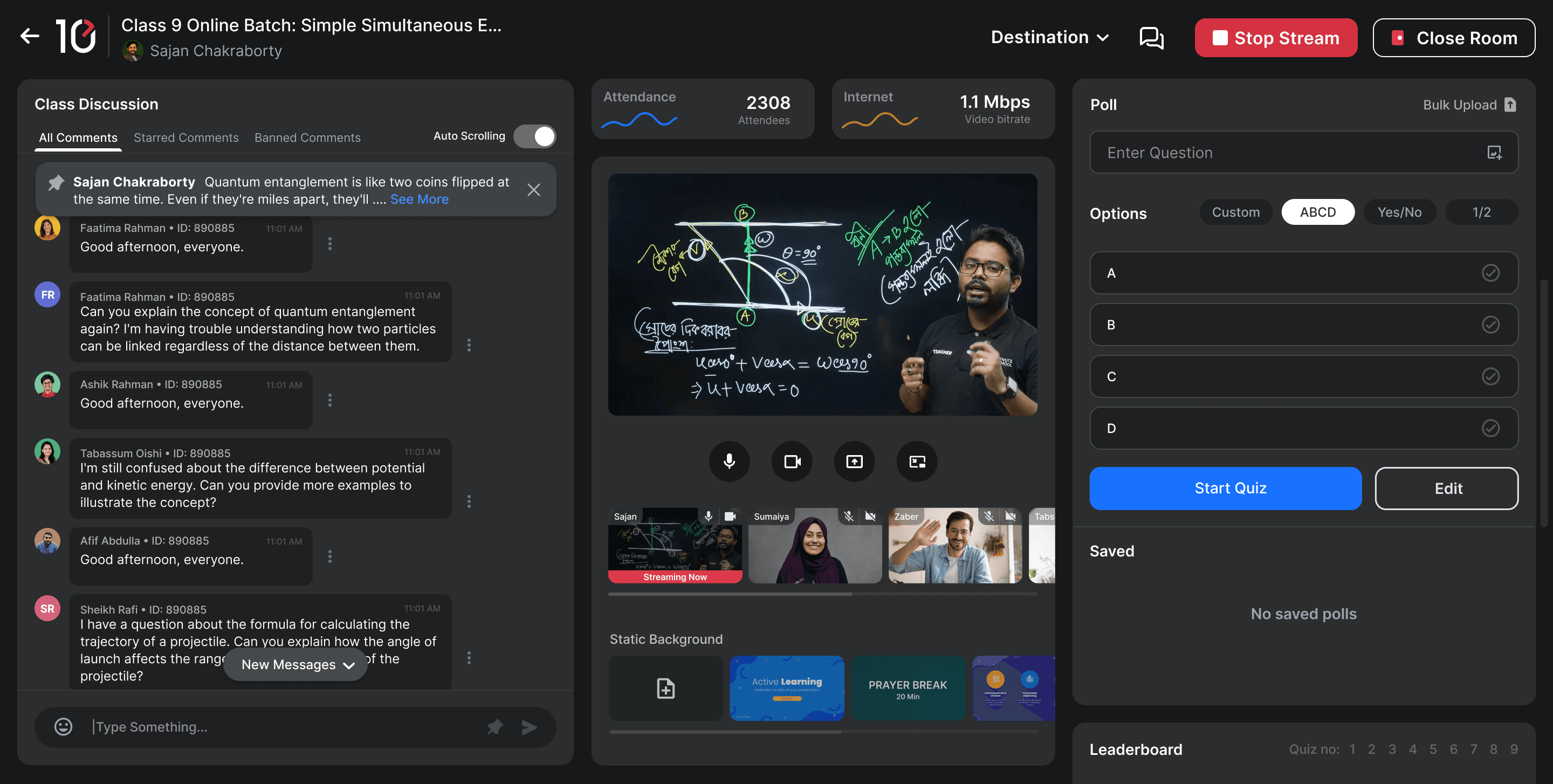
Teachers can start and manage the live stream directly from the dashboard, with visibility into attendance, internet status, and class controls.
Teachers can start and manage the live stream directly from the dashboard, with visibility into attendance, internet status, and class controls.
Key Experience 02
Key Experience 02
Make student discussion manageable
Make student discussion manageable
Make student discussion manageable
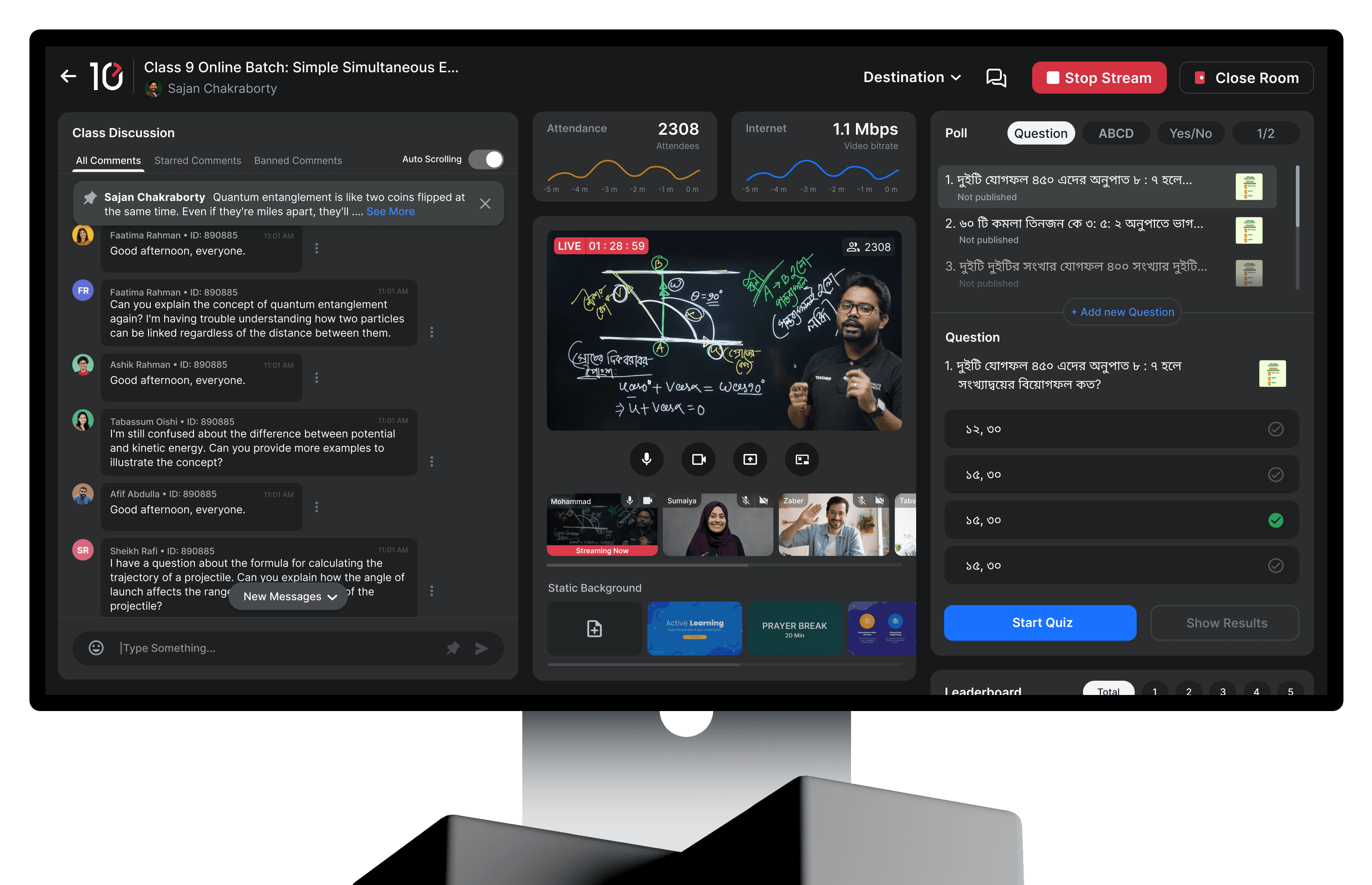
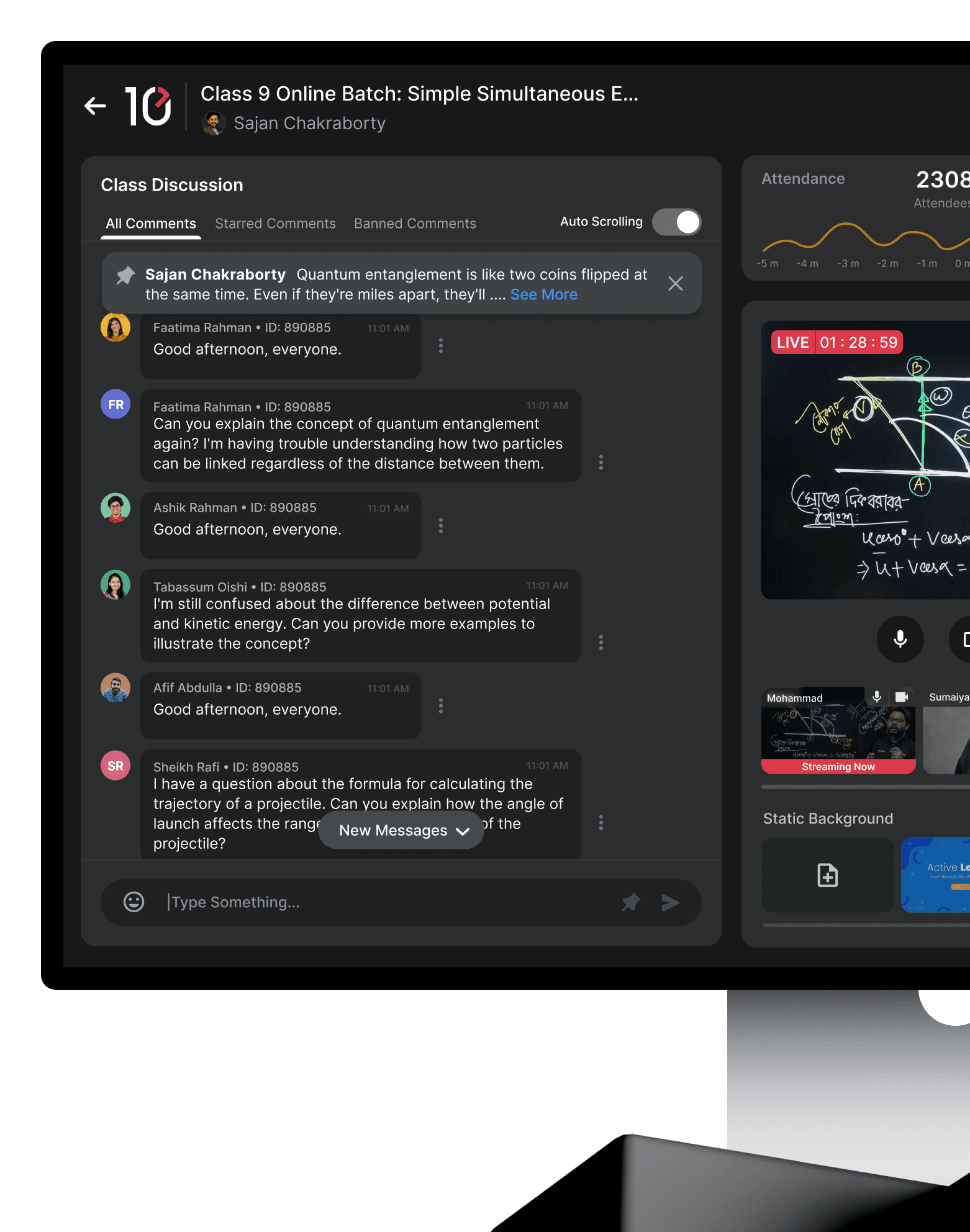
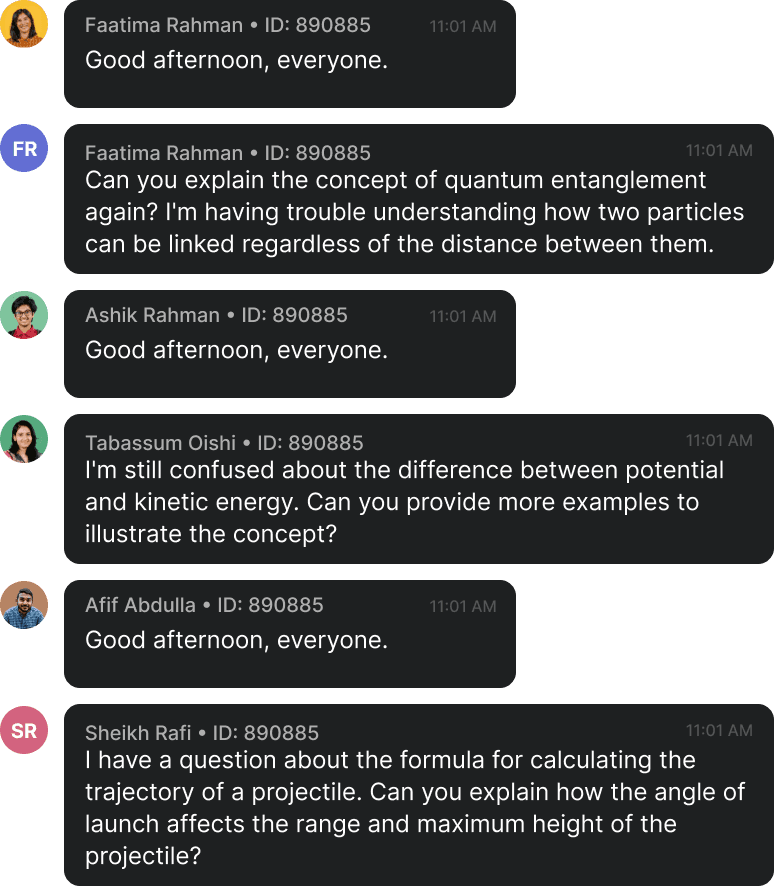
Live chats can get messy fast. Teacher Studio gives teachers and moderators a dedicated space to follow student messages, questions, and feedback.
Live chats can get messy fast. Teacher Studio gives teachers and moderators a dedicated space to follow student messages, questions, and feedback.
Key Experience 03
Key Experience 03
Turn polls into live competition
Turn polls into live competition
Turn polls into live competition
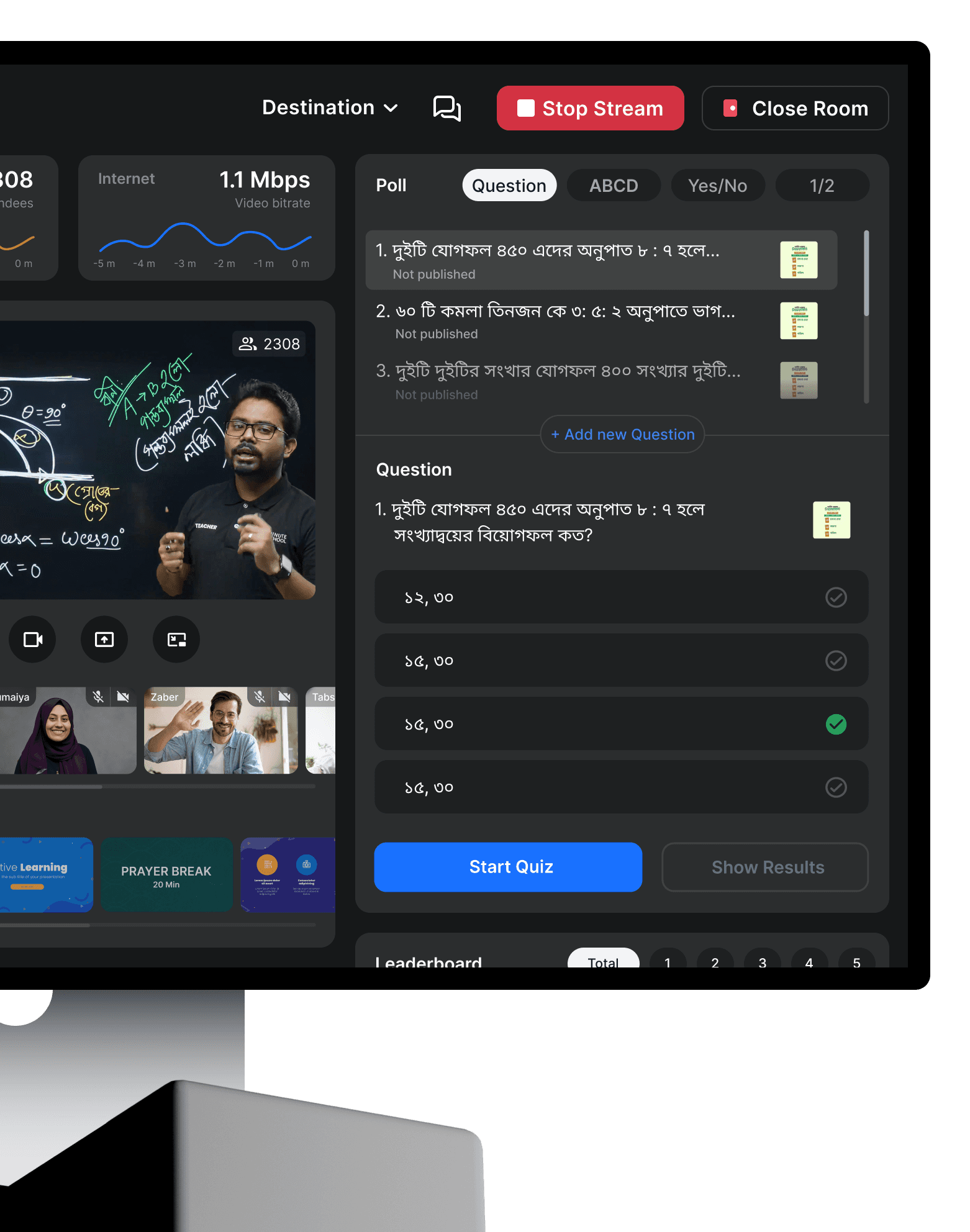
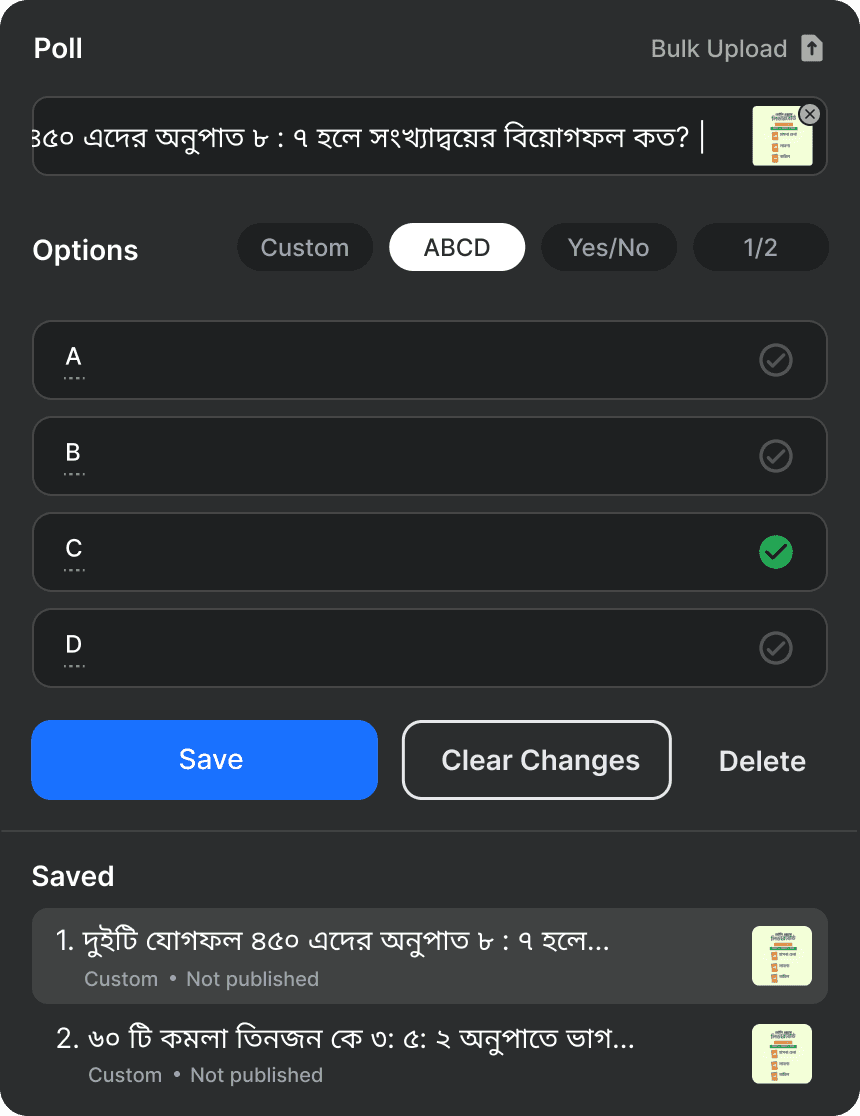
Teacher Studio lets teachers create quick polls or quiz questions during class and launch them instantly. They can also use preset questions to save time and keep the class moving.
Teacher Studio lets teachers create quick polls or quiz questions during class and launch them instantly. They can also use preset questions to save time and keep the class moving.
Once students respond, teachers can show live results and a leaderboard, making the class feel more active and competitive instead of passive.
Once students respond, teachers can show live results and a leaderboard, making the class feel more active and competitive instead of passive.

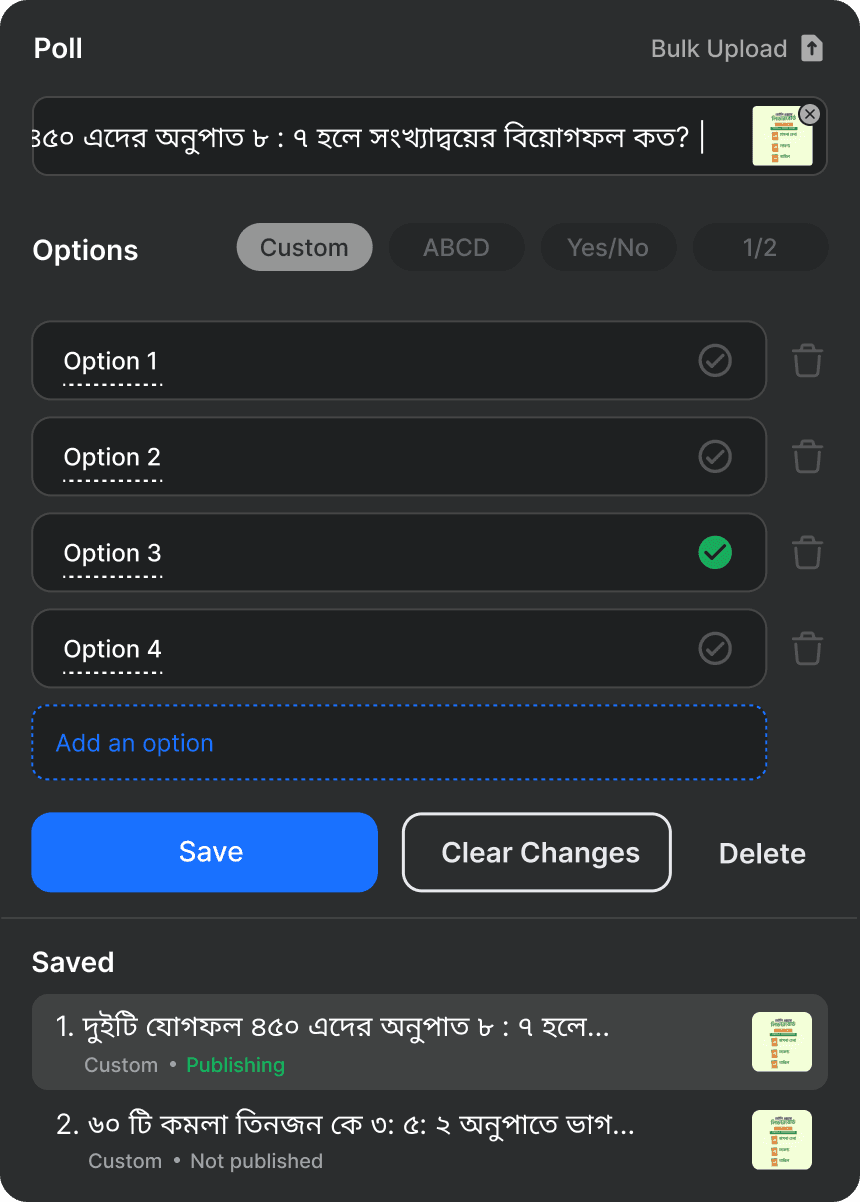
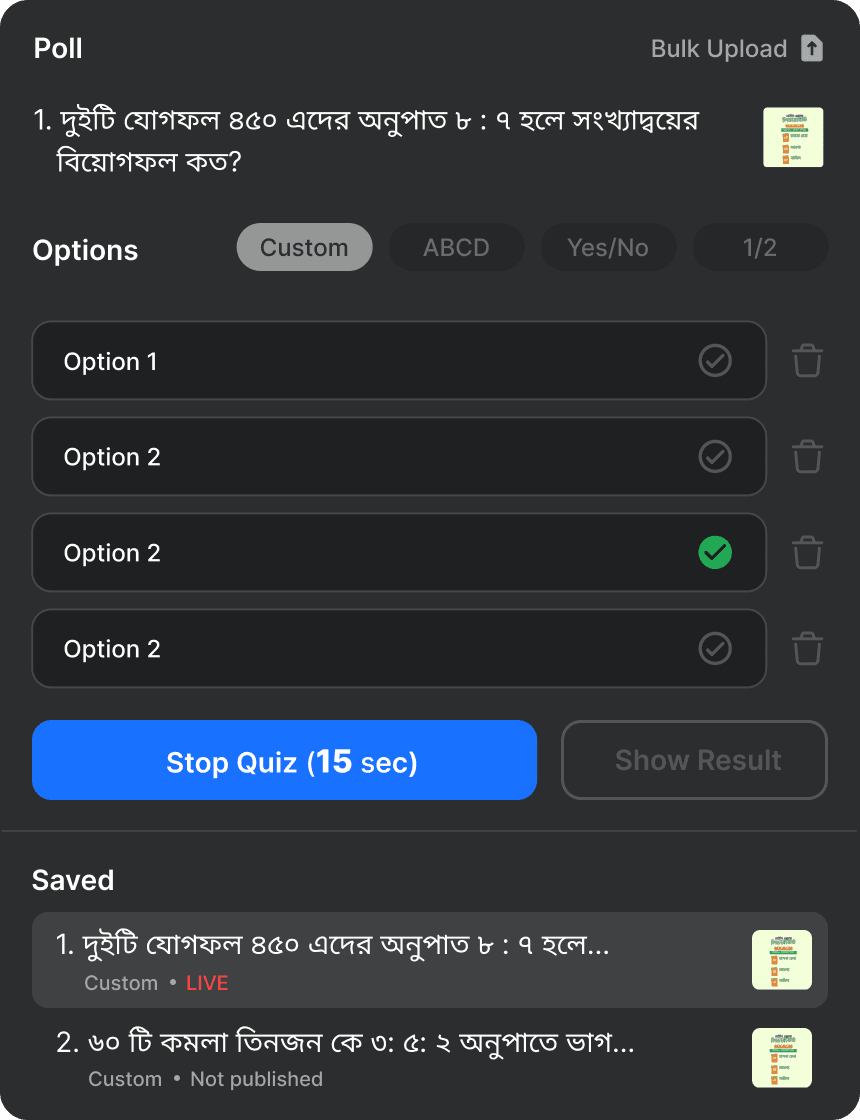
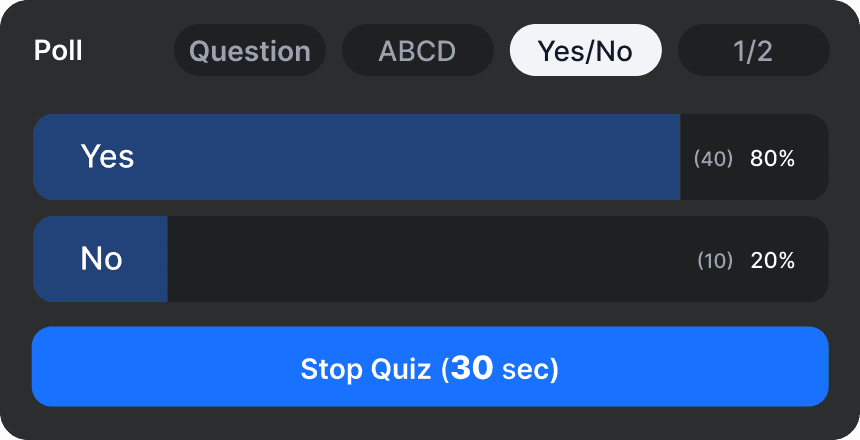
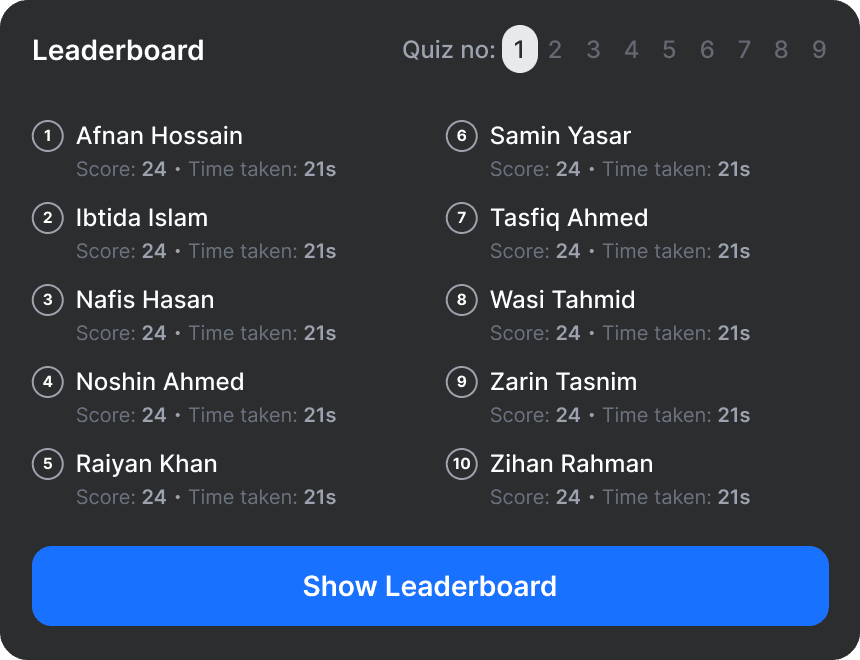
Create poll or quiz questions during live class.
Create poll or quiz questions during live class.
Launch questions instantly from the dashboard.
Launch questions instantly from the dashboard.
Pick from preset polls/quizzes.
Pick from preset polls/quizzes.
Show live results after students answer.
Show live results after students answer.
See top performers instantly.
See top performers instantly.
Know when to recap or continue.
Know when to recap or continue.
Outcome
Outcome
It gave teachers more control, made student interaction easier, and created a stronger foundation for scalable online classes.
It gave teachers more control, made student interaction easier, and created a stronger foundation for scalable online classes.
The biggest shift was simple:
The biggest shift was simple:
We stopped just streaming classes. We started designing the classroom.
We stopped just streaming classes. We started designing the classroom.
We stopped just streaming classes. We started designing the classroom.
And on the student side, the class finally felt like a classroom.
And on the student side, the class finally felt like a classroom.
And on the student side, the class finally felt like a classroom.

© Dip 2026. All rights reserved.


Let's Build Somthing Cool, I'm here Your Product’s Design Co-Pilot
© Dip 2026. All rights reserved.
© Dip 2026. All rights reserved.